
How to Reduce Involuntary Churn from Failed Payments
Most teams do not really have a failed-payment problem. They have a recovery workflow problem. Learn how to build smarter retry, outreach, and escalation rules that recover revenue without annoying customers.
Introduction
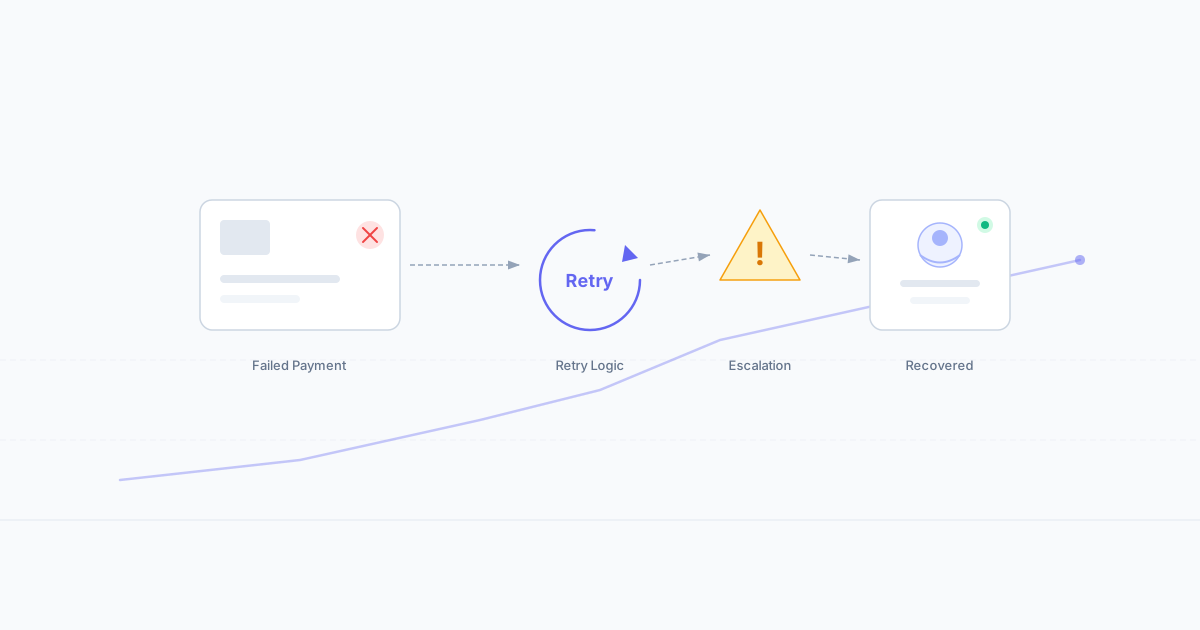
Most teams do not really have a failed-payment problem. They have a recovery workflow problem.
A payment fails, the system retries a few times, a generic email goes out, support gets dragged in late, and by the time someone looks properly at the account, the customer has already churned.
In many businesses, the goal is not to recover every failed payment automatically. The goal is to recover the right accounts in the right way, without creating unnecessary friction for good customers who just need a simple prompt to update their payment details.
In this guide, we’ll look at:
- what parts of failed-payment recovery are safe to automate
- what should stay with human review
- how to build a simple retry, outreach, and escalation workflow
Why Failed Payments Create Avoidable Churn
Failed payments often look like a billing issue on the surface, but the real damage usually comes from what happens next.
Common problems include:
- too many blind retries with no clear logic
- poor customer messaging that feels robotic or badly timed
- no distinction between low-risk and high-risk accounts
- unclear ownership between support, billing, and finance
- no escalation path for high-value or overdue accounts
When those decisions are inconsistent, good customers slip out of the system, teams waste time on avoidable back-and-forth, and revenue recovery becomes more manual than it needs to be.
What Should Be Automated vs What Should Stay Human
A good failed-payment workflow does not automate everything. It automates the repeatable parts and keeps the sensitive or commercially important cases with human review.
Safe to automate
These are usually good candidates for standard rules:
- first failed payment notices
- card-expired or outdated-payment-method reminders
- retry scheduling for low-risk accounts
- simple customer reminders to update billing details
- basic routing to the right queue or owner
Better kept with human review
These cases usually need more judgement:
- high-value accounts
- repeated payment failures across the same customer
- accounts showing frustration or cancellation intent
- disputed, suspicious, or high-risk payment patterns
- overdue accounts that may need finance or collections involvement
- customers where retention value is high enough to justify intervention
The aim is simple: automate the obvious, review the expensive.
The 5 Decisions Every Failed-Payment Workflow Needs
1. What type of failure is this?
Not all failures mean the same thing. An expired card, a temporary bank issue, and a hard decline should not all trigger the same response.
2. Should the system retry automatically?
Some failures are worth retrying quickly. Others are better handled with an immediate update-payment prompt instead of repeated failed attempts. A clear payment retry decision policy prevents blind retries from creating noise.
3. What message should the customer receive?
The message should match the likely issue. A simple card-update reminder is very different from a more careful retention-oriented message for a valuable customer.
4. When should support or billing step in?
If retries fail or the account is commercially important, someone needs to own the next action instead of leaving the case in limbo.
5. When does this become a finance, collections, or cancellation-risk issue?
At a certain point, the workflow needs to move beyond simple recovery and into a more deliberate handoff — whether that means collections handoff rules or a cancellation save workflow.
Need to map this for your own team?
Start with a draft failed-payment recovery workflow before you build the full pack.
Build My BlueprintA Simple Retry + Outreach + Escalation Model
Here is a practical structure most teams can adapt.
Step 1 — Classify the failure
Identify whether the issue looks temporary, account-related, method-related, or risk-related.
Step 2 — Apply the retry rule
If it is a low-risk, likely recoverable failure, use the normal retry window. If not, stop automatic retries and move to customer action or review.
Step 3 — Trigger the right customer message
Send the right prompt based on the likely issue:
- update payment method
- confirm billing details
- warning of service impact
- retention-oriented message for high-value accounts
Step 4 — Escalate based on value, age, or risk
If the account is high value, repeatedly failing, or approaching a meaningful overdue point, move it to support, billing, or finance review.
Step 5 — Decide the final path
The workflow should end with one of a few clear outcomes:
- recovered and active
- awaiting customer action
- support or billing review
- finance / collections handoff
- cancellation or downgrade risk handling
This is where most teams improve fastest: not by adding more messages, but by making the decision paths clearer.
Common Mistakes When Teams Automate Too Early
A failed-payment recovery process usually goes wrong in predictable ways.
Too many retries
Blind retrying can create noise without improving recovery.
Generic customer messaging
If every customer gets the same email, the recovery process becomes easy to ignore.
No distinction between account types
A low-value self-serve account and a high-value recurring account should not always follow the same path.
Unclear ownership
If support, billing, and finance all assume someone else is handling the problem, recovery slows down.
No clear handoff to collections or cancellation-save logic
Some accounts need a more deliberate next step. If there is no handoff point, the process drifts.
When a Free Blueprint Is Enough, and When You Need the Deployable Pack
A free blueprint is usually enough if:
- you are still mapping the workflow
- your team wants internal alignment first
- you need a first draft of retry, outreach, and escalation logic
- the setup is still fairly simple
A deployable pack makes more sense if:
- failed-payment handling is inconsistent across the team
- support, billing, and finance roles are unclear
- you need clearer SOPs, prompts, and handoff rules
- you want a stronger operational model rather than a rough draft
Build your failed payment recovery blueprint
Map retry rules, customer outreach timing, escalation triggers, and handoff logic before you build the full pack.
Build My BlueprintNeed the deployable version?
If you already know the problem and need clearer retry policy, support-to-finance handoff logic, prompts, SOP guidance, and implementation notes, see the Failed Payment Recovery Support Pack.
View the PackFAQ
Frequently Asked Questions
What is involuntary churn?
Involuntary churn happens when a customer is lost because billing fails or renewal does not complete, even though the customer may not have intended to cancel.
Should every failed payment be retried automatically?
No. Some failures are worth retrying, but others are better handled with customer action, support review, or finance escalation.
When should support step in on failed payments?
Support should usually step in when retries fail, the account is commercially important, the customer is showing frustration, or the workflow needs a more personal recovery step.
What is the difference between a recovery blueprint and a support pack?
A blueprint helps you map the logic. A support pack turns that logic into clearer rules, prompts, SOP guidance, handoff notes, and implementation-ready workflow detail.
AIGeeza Editorial
Expert reviews and recommendations for AI tools that work.
Last Updated: March 2026